Help with logging on Duplicacy container

I’ve been running backups on a Synology NAS using this script:

duplicacy -log backup -storage b2_music -stats -threads 2 > /volume1/Duplicacy/logs/alpha_music_bkup_$(date +\%Y\%m\%d-\%H\%M\%S).log 2>&1
exit

I’ve moved to the GUI, but can’t figure out the options string that works. I tried:
`-stats > /logs/alpha_music_bkup_$(date +%Y%m%d-%H%M%S).log
but that fails with “Invalid options”.

FWIW I’ve mapped the volume:
- /volume1/docker/duplicacy/logs:/logs:rw

I’m sytmied.

How do

The “>” and everything after is not an option to duplicacy. Duplicacy_web executes duplicacy CLI directly, not in the shell. And it does not do any shell expansions either.

What are you trying to accomplish? Duplicacy web already manages logs, emailing notifications, etc.

Separate question: why did you move to gui if you already have everything setup and working?

Each backup/check/purge task I have shows the latest log. I wanted to collect these logs in a designated directory which I’ve mapped. Can’t seem to make this work.

Duplicacy web already manages logs

I only see most recent. No log history.

Separate question: why did you move to gui if you already have everything setup and working?

Didn’t want to see my lifetime license go to waste :thinking:

You can symlink the log location to your location.

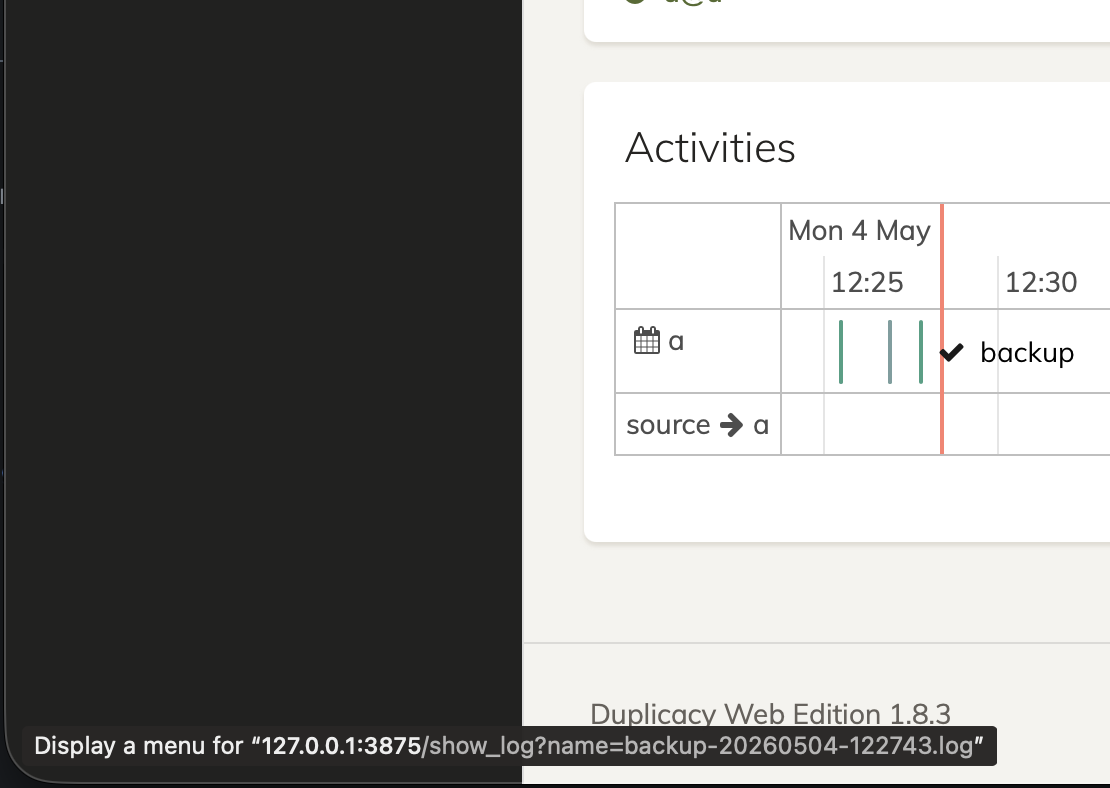
You can click on history points on the graph,if remember correctly they are clickable

Ok. Symlink/hardlink. BTW, the history points don’t yield any info.

Hover on the specific even in Activities and you can access its log.

I have that, but it doesn’t load the log of what was backed up, only “:heavy_check_mark: backup”, “:heavy_check_mark: prune”, “:heavy_check_mark: check”.

Tried both Firefox and Edge browsers.

Show the screenshot.

What happens when you click on the label?