
Limit or restrict total backup storage space

I have tried to look through the options for backup and prune but I do not see a specific option for this issue. I am using web edition 1.0 Personal on Arm Linux and what I want to do is limit the occupied space on my storage.

For example, my local files occupy about 16 GB but I would like to limit their backups/revisions/snapshots/etc. to a total space occupied on storage of 500GB max.

Is there a way to set this in options (through Web Edition)? Otherwise, is there another or different (easy noob-friendly) way for limiting total space occupied?
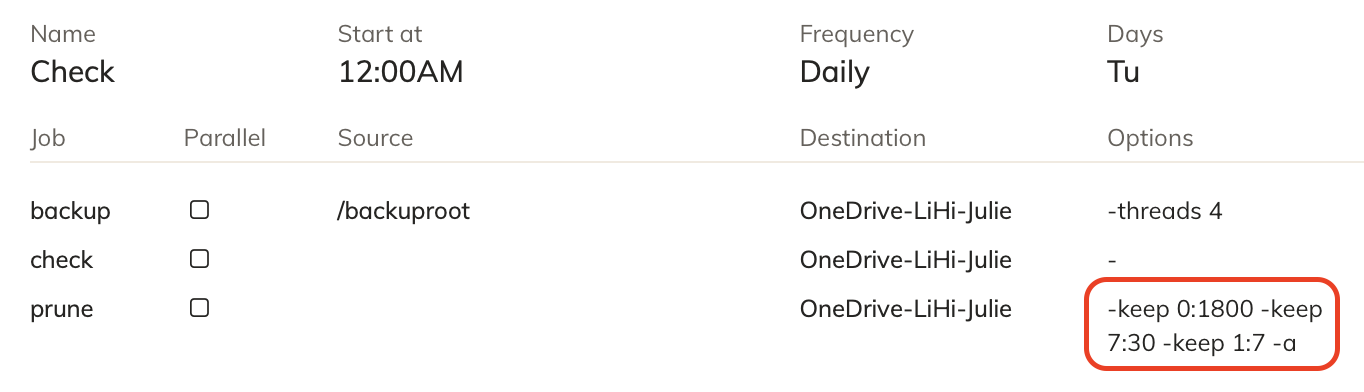
This isn’t possible with Duplicacy. Your best bet is to set a limit on the size of the storage directory on your server.

I have exactly the same problem.

I have 1TB of OneDrive storage, and it is now completely full.

I would like to reduce it to 900 GB and then limit it to that amount.

Is this possible in the meantime?

There is no way to enforce storage usage out of the box. But you can keep pruning past revisions until you fit into the target size. You can also automate this.

But I would increase amount of available storage first, before even considering deleting data. The fact that you ran out of space with the retention policy you deemed necessary only means you need more space.

There is possibility you are storing garbage though — so before buying more space I would run exhaustive prune just in case to clean up any orphaned chunks resulted from various interrupted operations.

1 Like

Thank you for your prompt reply.

I will attempt to optimise these settings here.

This is precisely where I expected to find an option to specify a memory limit.