Possible to use CLI with Unraid GUI backup?

Hi,

I’m using the Unraid GUI version of Duplicacy, and want to know if I can use the CLI on its storage.

I’ve found how to run the CLI commands from this post:

However, when I try to run a command e.g.
/config/bin/duplicacy_linux_x64_3.1.0 list
it says:
“Repository has not been initialized”

If I run an init command from the CLI, will it create a new storage? If so, how do I work on the storage that my GUI version is pointing to?

Thanks

You need to run this command in the temporary repository that the web gui creates for each storage, under the /caches/repositories/localhost/xx

Excellent, thanks for the explanation. Appreciate the help!

Hi

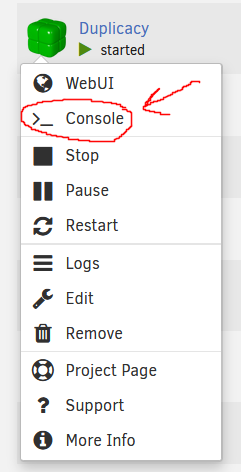
I’m running duplicacy as a docker container on my unraid machine and am having similar difficulties. I’ve recently copied all files off of and back on to my backup server to re-configure the drives and i want to run the check command to make sure all files are there and intact. I can’t seem to figure out how to get cli command “check -all -files” run. do I start from the terminal window that shows when I click on the contailer and choose “console” or from unraid’s main console window?

sorry that I couldn’t piece it together myself, i’m still new to terminal wizardry :sweat_smile:!{C117AB87-43A8-41A4-A16F-A5102308B279}

Why don’t you want to run it from the gui? What’s the point in having configured gui if you want to do everything in CLI?

Ah, so the “check” scheduled task from gui can do the same? If so are there any options I can/should add to reslly go in and check all the files and their content?

Thanks for the help!