SFTP permission error on one chunk near end of backup

So this seems like a slightly unique issue, or at least one I can’t find the right phrasing for to pull up searching.

I’m having a permissions error with my backup suddenly that’s persisted about a week before I noticed, possibly more. I’m running duplicacy in docker on unraid so don’t have good cli access.

It seems like this one chunk keeps giving me permissions errors right at the end of my backup but the rest goes through. Wondering what arguments might fix it, or if I should try to find the offending chunk on my backup server and delete it?

There shouldn’t be anything that changed with any permissions so it seems odd, especially since it’s at the very end of the backup, literally the last thing it tries in the final few seconds.
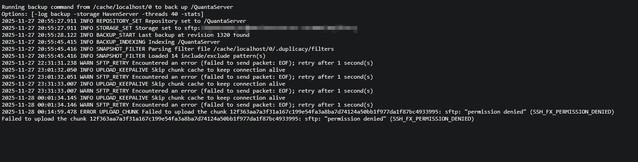
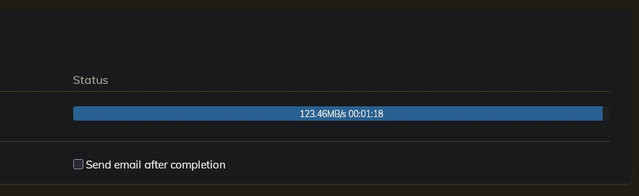
edit: Actually it seems like just from today there are two or three different ones it happens with from testing, not the same one every time, but the same couple pop up a few times. Going to try with -d

Seems like literally everything runs perfectly until the very end with two chunks, I can see every new file uploading fine. Hmm. Nothing more helpful with -d -v

Pruning, checking, or anything else I can think to try doesn’t do anything at all. It seems like it’s mostly a different chunk name each and every time but I can’t even see what file it’s trying to upload that causes that.

I’d really fking rather not have to redo my backup from scratch and have to upload 30tb again…

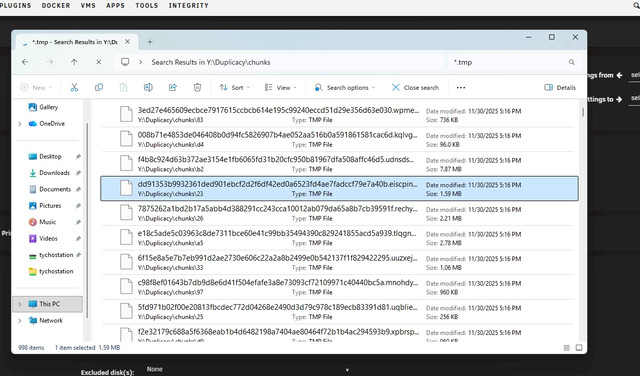
there’s nearly a thousand .tmp files that an exhaustive prune doesn’t touch. Way more errors after the prune. Going to have to figure out how to delete them since unraid permissions are annoying for duplicacy created stuff

How so? Give the user duplicacy is using full access to your folder. It seems it lacks rename access.

If you have AppArmor enabled — then this is additional layer of complexity.

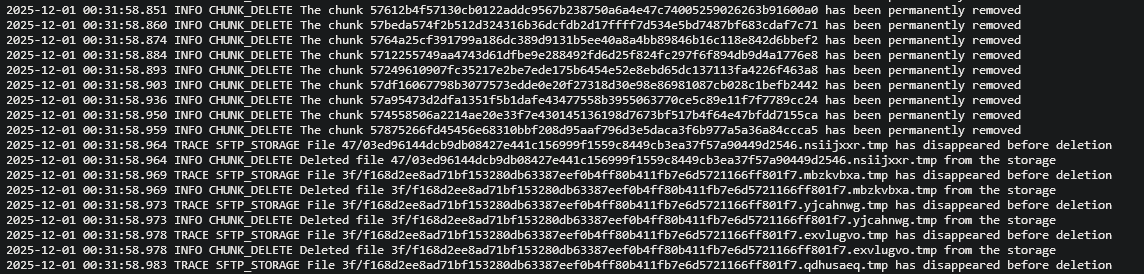
Exhaustive prune won’t touch tmp files. They are not valid chunks. They are artifacts of permission issues with uploading file to e.g. SFTP remote.

Duplicacy has full access over SFTP but since the files are made by the stfp docker I had to go and redo permissions to be able to delete them.

I went through and deleted all of the .tmp files, it missed 40 so I redid it with another check and prune, same exact issues.

Nothing has changed on either side otherwise, I haven’t changed how the sftp server is set up or duplicacy on the host side, and again it goes through 90% of the backup fine, then has that issue at the end.

No app armor or anything else, I’ve had the same quirk trying to delete files off my local unraid machine too when they get created by a docker container so that wasn’t a surprise trying to delete them through my vm on the offsite machine.

This backup has been running perfectly fine for well over a year in this configuration. It’s also able to delete stuff perfectly fine otherwise in the prune.

Please elaborate. There are two user accounts involved: one is the account that runs duplicacy in the c container – it’s irrelevant for the present issue, because if you connect via SFTP, the user you connect as is whose permission to the storage matter.

Tangentially, some SFTP remotes (Synology disk stations being most infamous ones, but there are many others) have known issues that prevent them from working correctly, even when permissions are correct; the suggested workaround is to use absolute paths in SFTP connection string (note two /), e.g:

The symptoms (intermittently disappearing files and random failures) are consistent with that.

Try using SMB backend and see if this issue goes away. SMB backend however is not advised over high latency links due to its performance characteristics

There aren’t really two accounts, unraid just has a quirk where files made in a docker container can’t be deleted by windows sometimes, until you redo the permissions to full read write access. It doesn’t affect the container itself, in this case, an sftp server at all.

Unraid is running on both ends, onsite with duplicacy, and offsite with the sftp server.

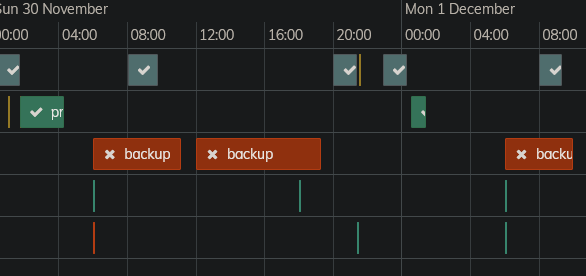
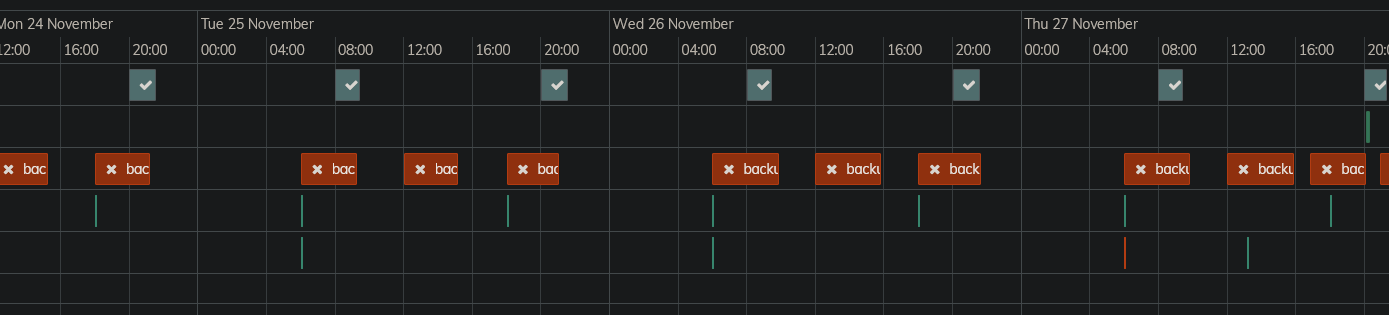
Again, this has been running fine for well over a year now, the two other backups for my virtual machines and appdata work fine, and the main backup for my storage pool also runs through, running for well over an hour without any issues until the final few minutes.

Zero changes have been made to permissions anywhere. I could try editing the path, but then I think I’d need to do that for each backup, and again I’ve made no changes so I don’t see why this would actually be a permissions issue that started up randomly when it was running fine.

This is offsite at another person’s house so smb won’t be an option, we both have good internet speeds but not low enough latency.

There are some checks/prunes that I started then cancelled to tweak commands but it’s consistently the main backup that causes issues. The other backups run parallel, but running it manually has the same result and they always have so it’s not like, a server connection limit

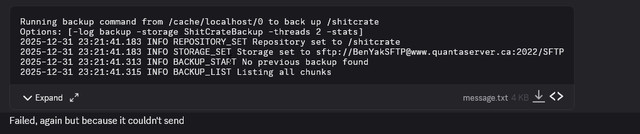
image

I suppose I could also try changing to a different sftp package (currently on sftpgo) but then I need to go in and delete the server signature file which is buried away in the docker container for it to pick up sftp on the same address which is annoying.

This is probably a canary indicative of some deep issues with permissions/acls; if it affects samba, how can you be sure it does only affect samba?

When duplicacy is not actively backing up there shall be no tmp files. The fact that tmp files remain means “rename” fails. Why? No idea. Bad permissions, corrupted filesystem, bad SFTP server… pick any or all. This is the root of the problem.

You can still try it (over vpn) to narrow down SFTP seever vs system/permision issues. If it works over SMB reliably (albeit slower) - you’ll know who to blame. (Or yes, using proper well established SFTP server would be even better). That would be the best outcome — becuse the alternative is broken/flaky unraid filesystems/permissions/AppArmor and this is a can of worms I’d rather leave unopened. But since your mentioned that “quirk” — maybe it’s inevitable. But this would be for unraid forum or support to help resolve thankfully. You paid for the product — let them fix it. “Sometimes windows can’t read files created from container” and everyone pretends is normal is wild to me.