Backup Failing on Unraid

Hey Team,

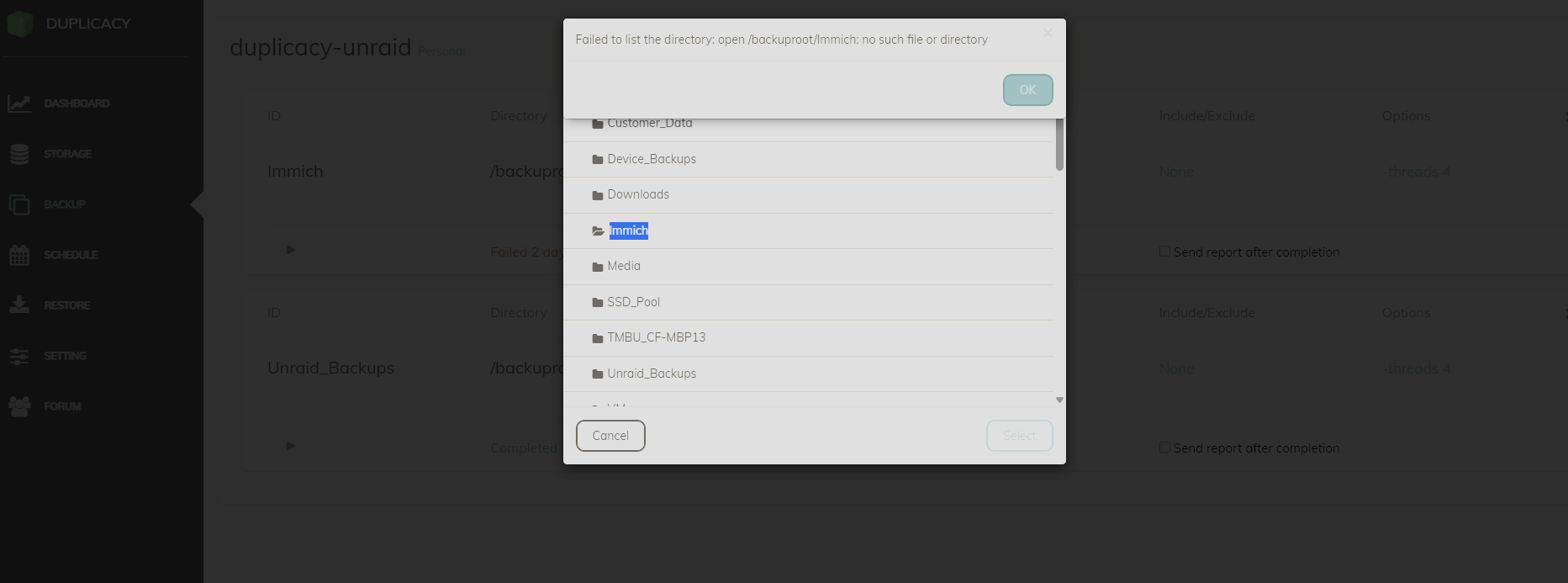
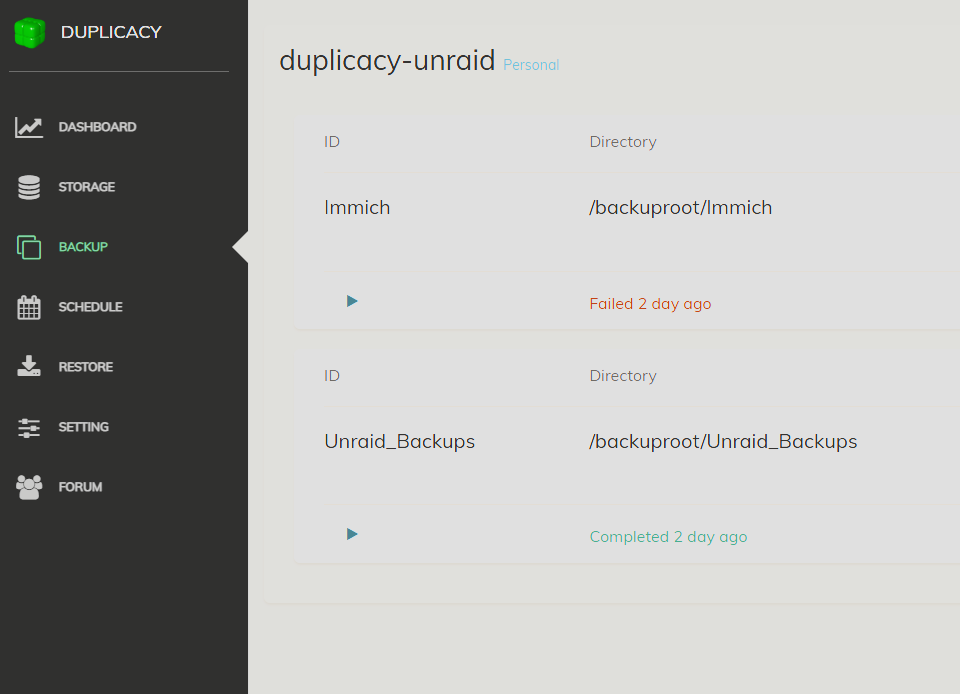
One of my backups (Immich) has started to fail with the error “Failed to list the directory” This seems like an obvious error however, this was working a few weeks ago, and there is another backup (Unraid_Backups) with the same Duplicacy settings, same share permissions and same SSD Pool location.

This post is similar; however, it’s for Synology - Failed to list the directory

The only change I have made is to migrate the Immich data to the SSD Pool off my HDD array. However the Unraid_Backup also resides on the SSD Pool.

Thank you in advance for any help

Running backup command from /cache/localhost/0 to back up /backuproot/Immich
Options: [-log backup -storage UnraidBackup -threads 4 -stats]
2026-08-10 03:00:02.242 INFO REPOSITORY_SET Repository set to /backuproot/Immich
2026-08-10 03:00:02.242 INFO STORAGE_SET Storage set to b2://UnraidBackup
2026-08-10 03:00:03.178 INFO BACKBLAZE_URL Download URL is: https://f003.backblazeb2.com
2026-08-10 03:00:22.390 INFO BACKUP_START Last backup at revision 2 found
2026-08-10 03:00:22.471 INFO BACKUP_INDEXING Indexing /backuproot/Immich
2026-08-10 03:00:22.471 INFO SNAPSHOT_FILTER Parsing filter file /cache/localhost/0/.duplicacy/filters
2026-08-10 03:00:22.471 INFO SNAPSHOT_FILTER Loaded 0 include/exclude pattern(s)
2026-08-10 03:00:22.472 ERROR LIST_FAILURE Failed to list the repository root: open /backuproot/Immich: no such file or directory
Failed to list the repository root: open /backuproot/Immich: no such file or directory

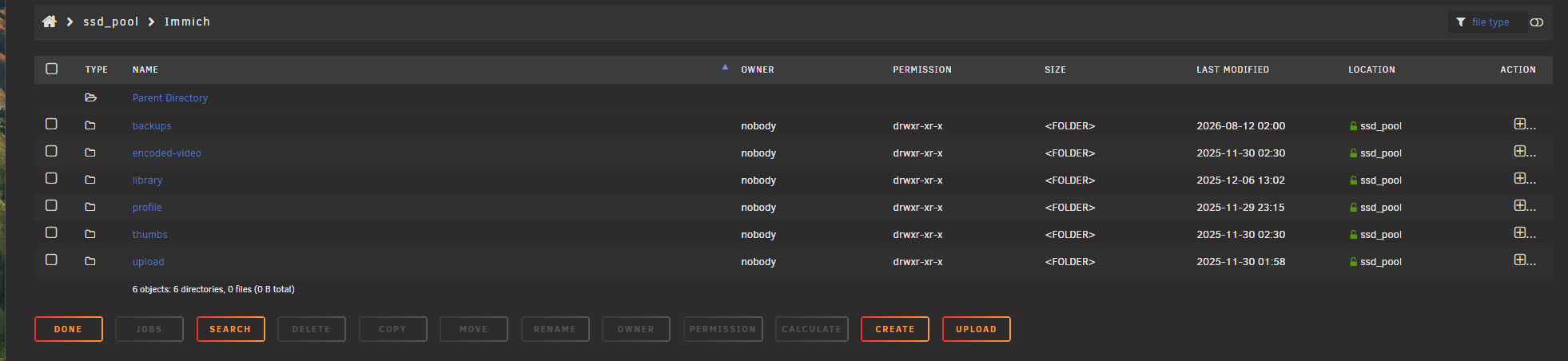
Is this mounted and readable?

Hey saspus,

Yup yup I can read and write to the share from unraid :slight_smile:

The Unraid host being able to read/write the share is irrelevant here. Duplicacy is running in a container, and the error is specifically saying that /backuproot/Immich does not exist inside that container.

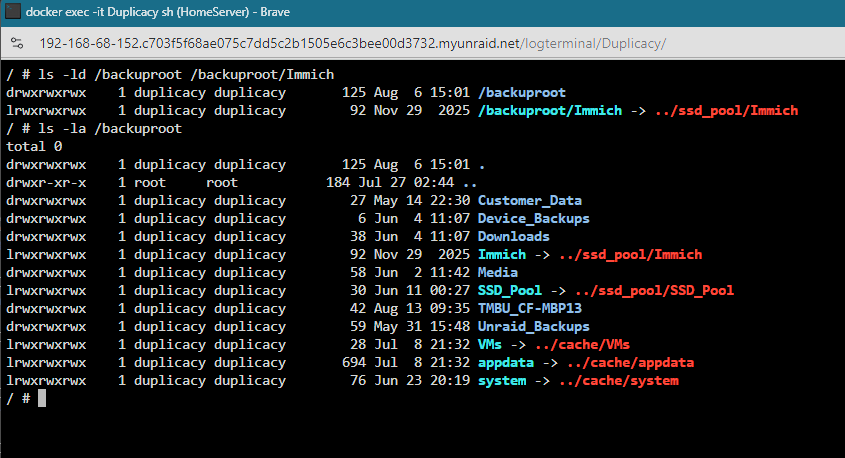
Open the Duplicacy container console and run:

ls -ld /backuproot /backuproot/Immich
ls -la /backuproot

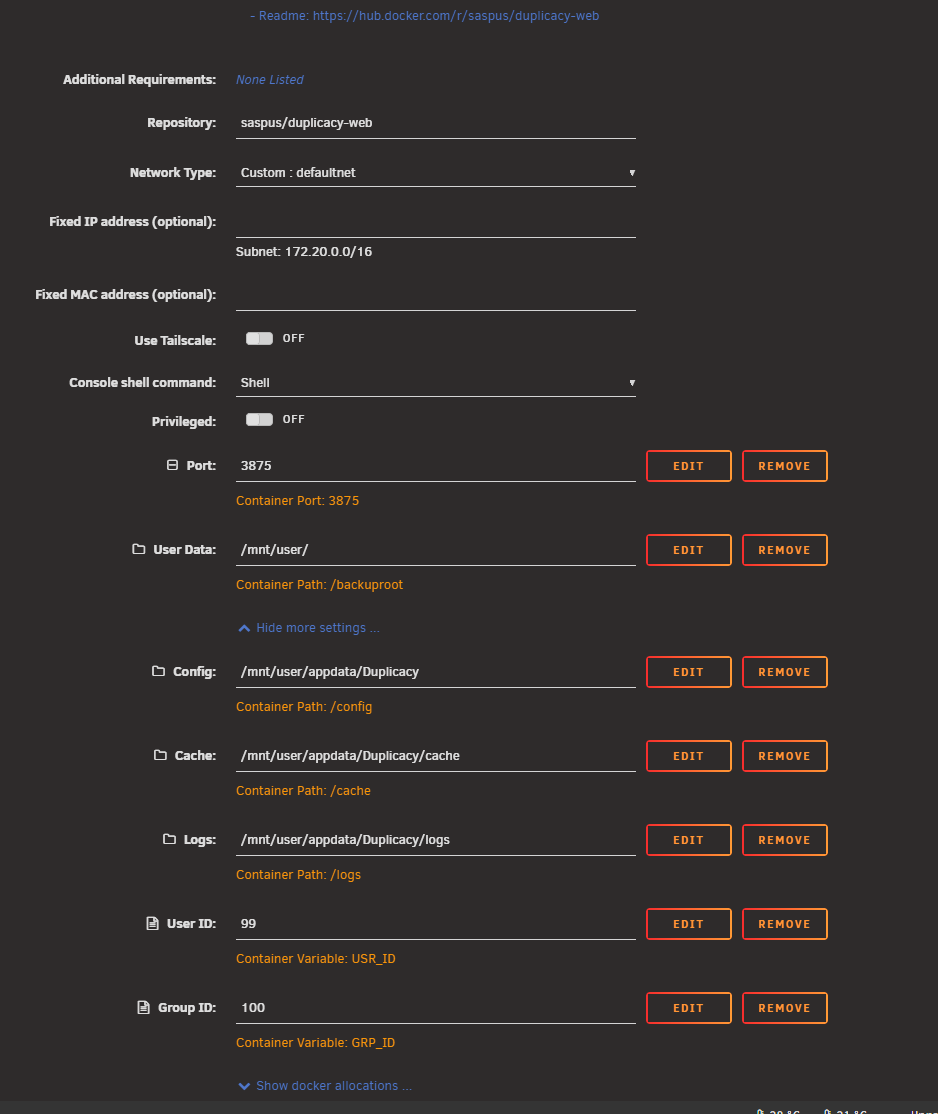
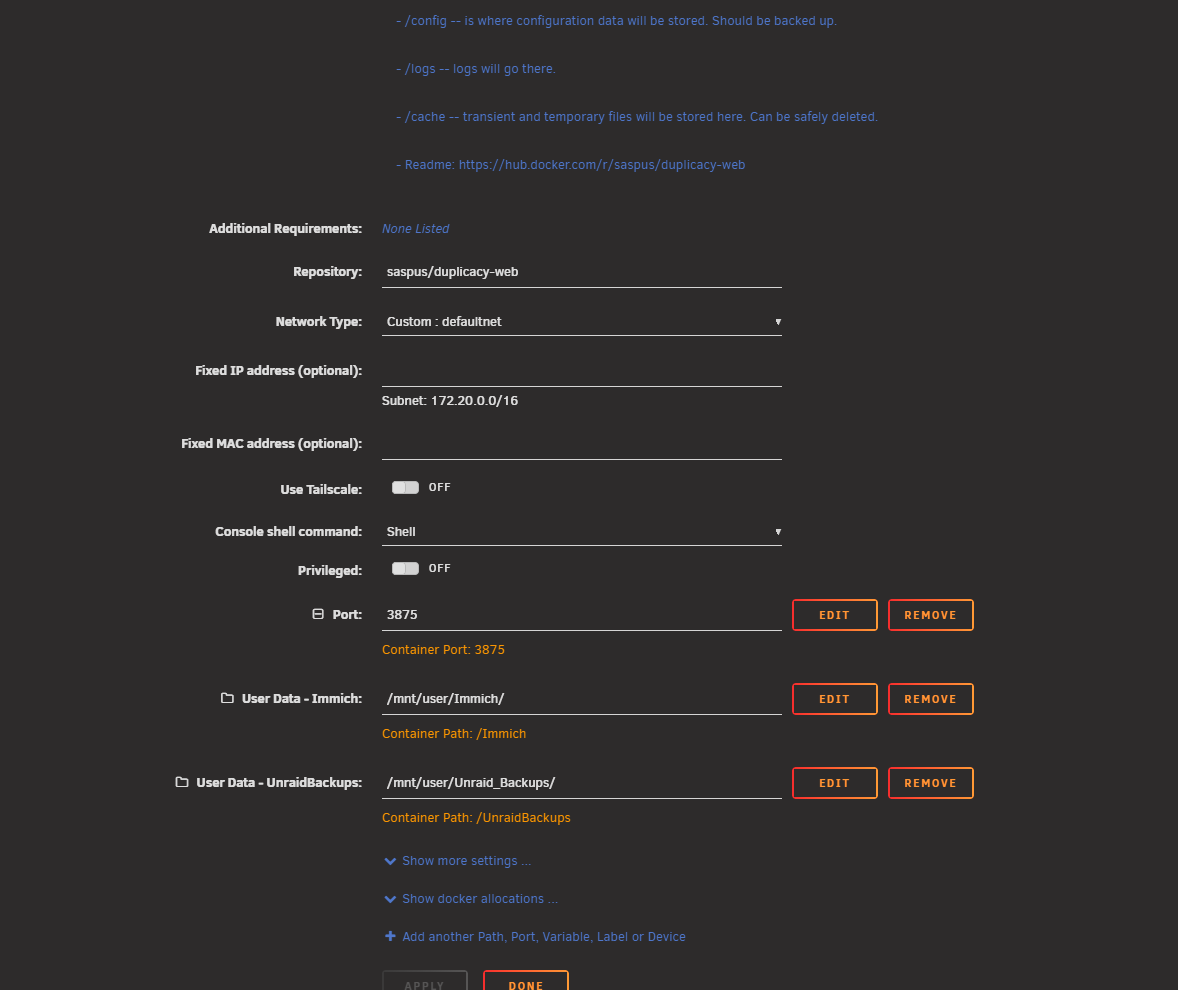
If Immich isn’t there, check the Duplicacy container’s volume mappings. Since you moved Immich to another pool, my first suspicion is that the host path changed or the container mapping points directly at the old physical path rather than /mnt/user/…

Post the Duplicacy container volume mappings if it’s not obvious from there.

Hey saspus,

Thank you for your reply. Here is the output from the commands. I will also grab a screenshot of the Docker mappings.

Thank you

P


Great! Looks like /backuproot/Immich is a broken symlink:

Immich -> ../ssd_pool/Immich

There is no /backuproot/ssd_pool/Immich, so Duplicacy gets the no such file or directory error you’re seeing.

Since /mnt/user is mapped to /backuproot, check what /mnt/user/Immich is on the Unraid host and fix/recreate that symlink. The Duplicacy container mapping itself looks correct.

Hey saspus,

I did some digging and fixed the issue. This post really helped, although it’s not about the duplicacy docker.

I created new mounts just for the folders I was backing up, and it worked.

Thank you for your help :slight_smile:

1 Like

Glad you got it sorted! That also explains the broken symlink we saw — Unraid’s exclusive share points outside /mnt/user , so the target wasn’t visible through the /mnt/user Docker mount.

Explicitly mounting the shares is the right fix.

Thanks for following up with the solution – this will save the next person some head scratching. Feel free to mark you own post as a “Solution”

1 Like

All good, thank you for your patience and help :slight_smile:

This topic was automatically closed 10 days after the last reply. New replies are no longer allowed.